

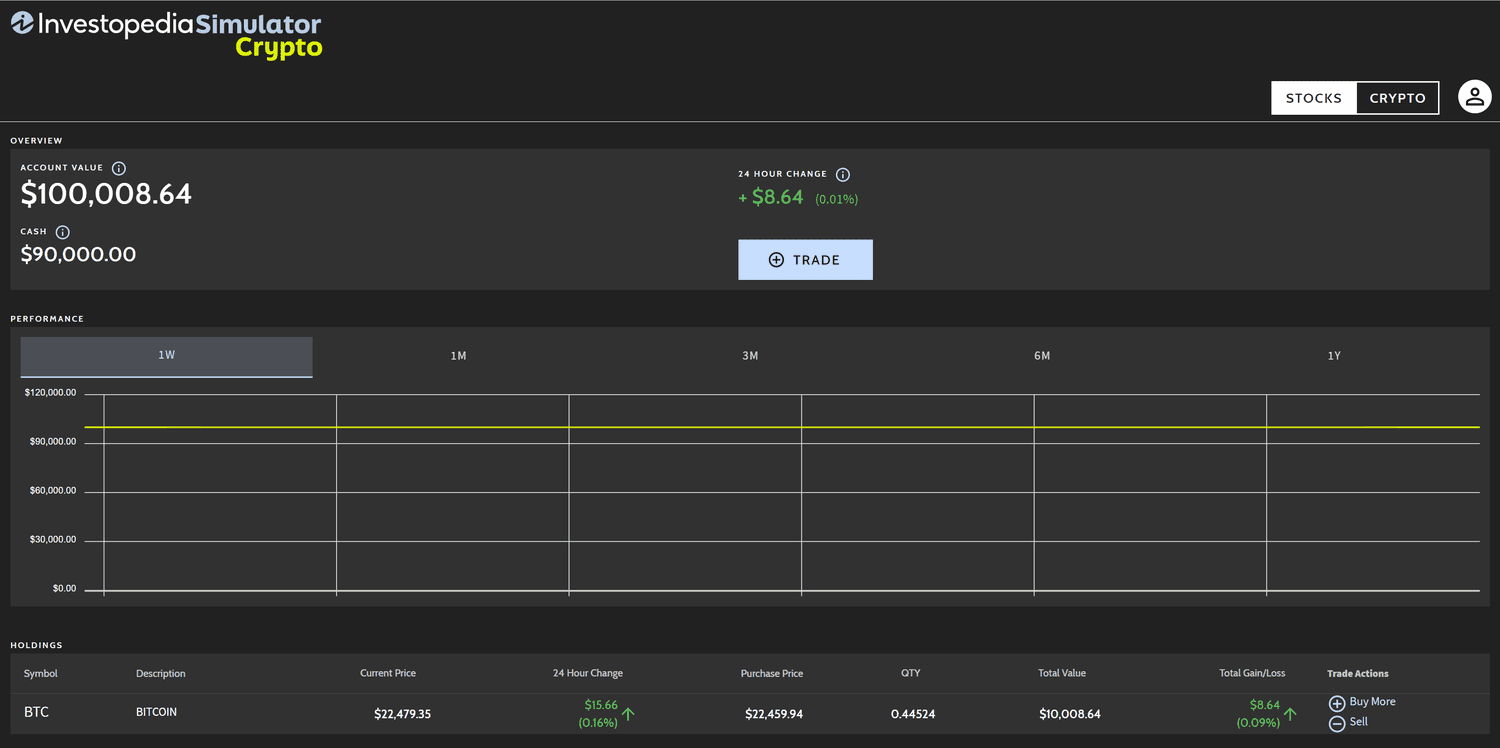
Investopedia Market Simulator stands as a powerful tool for anyone eager to dive into the world of trading and investing without risking real money. This virtual platform offers a risk-free environment to practice trading stocks, ETFs, and cryptocurrencies, mimicking real-world market conditions.
Designed for beginners and seasoned investors alike, it provides an engaging way to learn trading mechanics, test strategies, and build confidence. With $100,000 in virtual cash, users can explore financial markets, experiment with investment ideas, and compete in simulated trading games.
Getting Started with the Investopedia Market Simulator
Account Creation and Login Process
To begin using the Investopedia Stock Simulator, you need to create a free account. The registration process is straightforward and requires only an email, username, and password. Once registered, users receive $100,000 in virtual currency to start trading.
To log in, visit the simulator’s platform, enter your credentials, and access your dashboard. The interface is intuitive, making it easy for beginners to navigate and start trading immediately.
Understanding the Dashboard
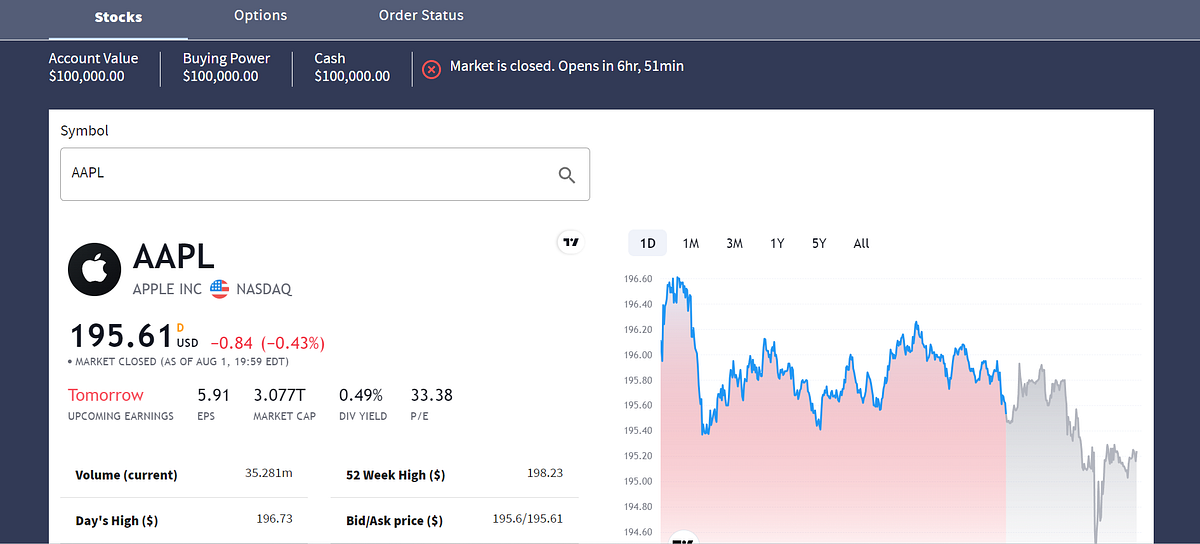
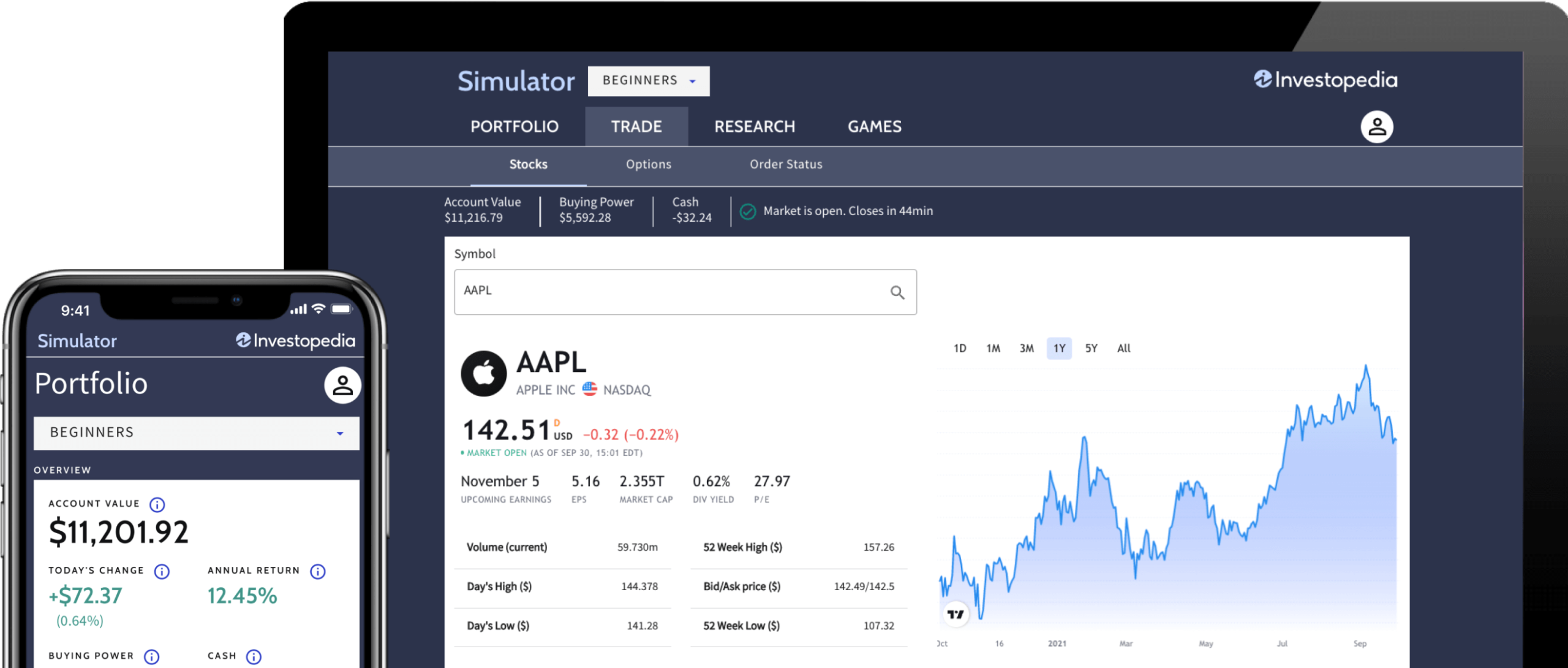
The dashboard serves as the central hub for all activities. It includes sections like Portfolio, Trade, Research, and Games.
The Portfolio section displays your current holdings, their market value, and performance metrics. The Trade section allows you to place buy or sell orders, while Research provides access to charts, company data, and market insights. The Games section lets you join or create trading competitions, adding a fun, competitive element to learning.
Initial Setup Tips
- Explore the Interface: Spend time familiarizing yourself with the dashboard to understand its tools and features.
- Set Goals: Decide whether you want to practice long-term investing, day trading, or options trading to tailor your experience.
- Start Small: Begin with a few trades to get comfortable before diving into complex strategies.
How to Use the Investopedia Market Simulator Effectively
Placing Your First Trade
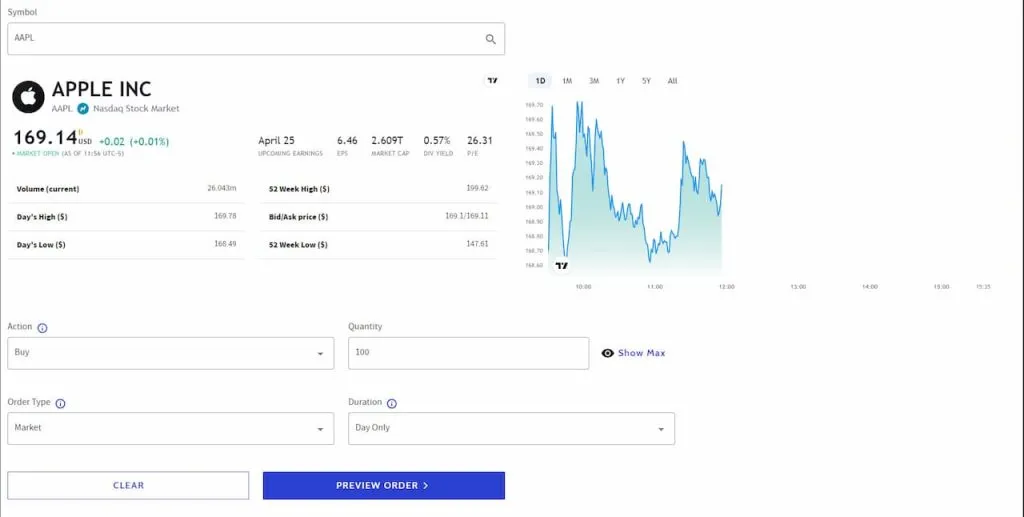
Trading on the Investopedia Market Simulator is designed to mimic real-world brokerage platforms. To place a trade:
- Navigate to the Trade section.
- Select the asset type (stock, ETF, or crypto).
- Enter the ticker symbol of the asset you want to trade.
- Choose the order type: market, limit, or stop.
- Specify the number of shares and action (buy, sell, short, or buy to cover).
- Review the order and submit it.
The platform uses data delayed by approximately 20 minutes, so prices may slightly differ from real-time markets. This delay helps simulate realistic trading conditions while preventing users from exploiting real-time data.
Exploring Order Types
The simulator supports three main order types:
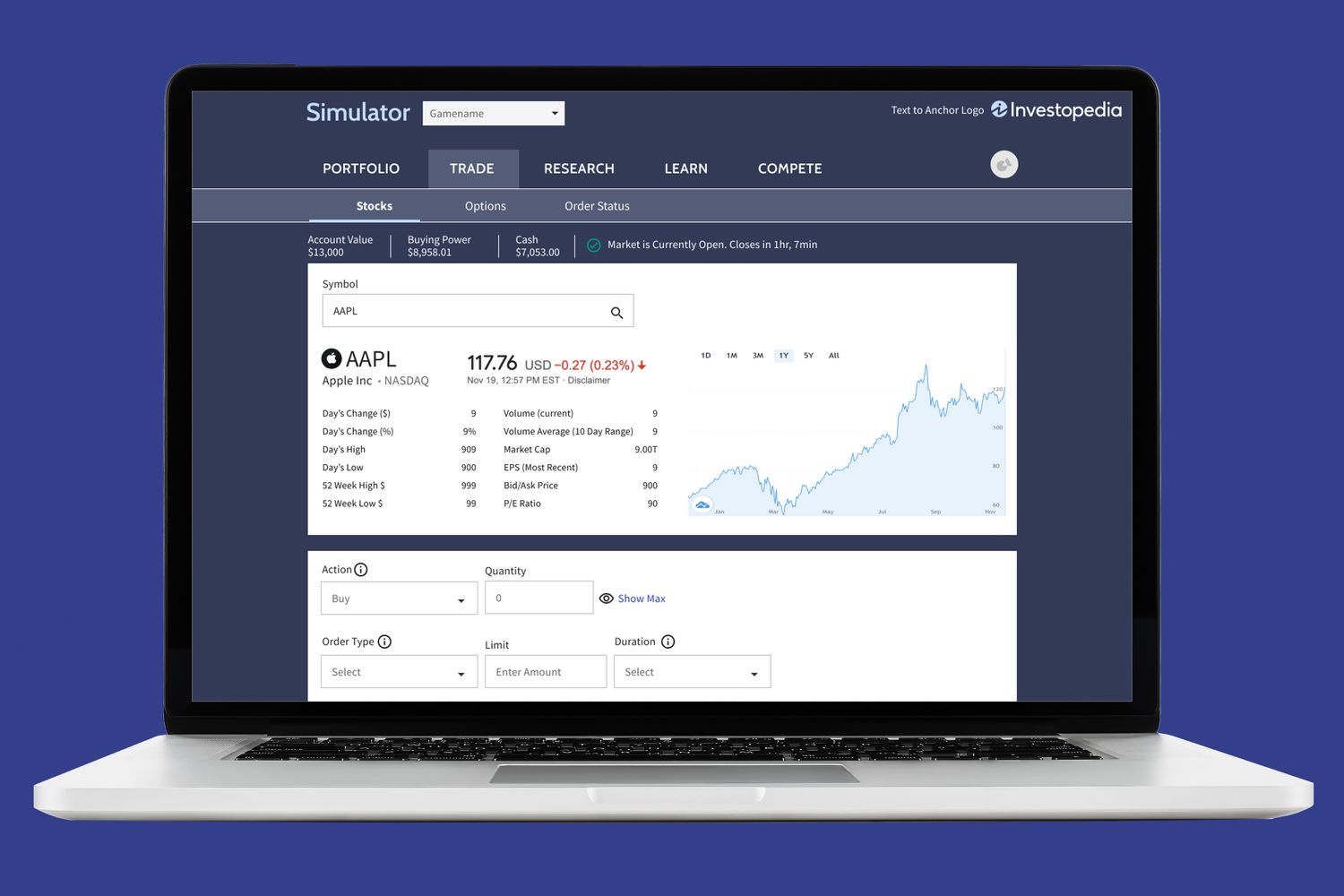
- Market Orders: Execute trades at the current market price, ideal for quick transactions.
- Limit Orders: Set a specific price at which you want to buy or sell, offering control over trade execution.
- Stop Orders: Trigger a trade when an asset reaches a predetermined price, useful for managing risk.
Monitoring Your Portfolio
The Portfolio section tracks your holdings, showing real-time value updates, gains, losses, and annualized returns.
You can sort trades by asset type (stocks, options, or short positions) and review historical performance. A small panel displays your rank among other simulator users, adding a competitive edge.
Investopedia Stock Simulator Features
Research Tools
The simulator offers robust research tools to inform trading decisions:
- Price Charts: Analyze historical and current price trends.
- Company Data: Access financial statements, earnings reports, and key metrics like price-earnings ratios.
- Market News: Stay updated on events impacting asset prices, such as corporate earnings or economic reports.
Trading Competitions
The Games feature allows users to join or create trading contests. You can compete with friends, colleagues, or global users to test your strategies. Contests can be customized with specific rules, such as:
- Focusing on U.S. stocks, Canadian stocks, or global markets.
- Setting timeframes (e.g., 1 week, 1 month, or 1 year).
- Adjusting starting virtual cash or commission rates.
Mobile Accessibility
While the simulator is primarily web-based, its mobile-friendly interface ensures you can trade on the go.
This flexibility is crucial for practicing in a dynamic market environment, though some features may be limited compared to the desktop version.
Virtual Cash Management
Each account starts with $100,000 in virtual funds. Users can:
- Reset their balance to start fresh.
- Allocate funds across multiple asset types to diversify.
- Avoid spending the maximum amount on a single trade to maintain portfolio flexibility.
Best Strategies for the Investopedia Simulator
Long-Term Investing
Focus on building a diversified portfolio with stocks and ETFs that align with long-term growth goals. Research companies with strong fundamentals, such as consistent earnings growth or low debt. Use the simulator’s tools to analyze price-earnings ratios and dividend yields to identify undervalued assets.
Day Trading Techniques
For those interested in day trading, practice quick decision-making by:
- Monitoring short-term price movements using technical analysis tools like moving averages or RSI (Relative Strength Index).
- Setting tight stop-loss orders to limit potential losses.
- Focusing on high-volume stocks to capitalize on volatility.
Options Trading Strategies
The simulator supports options trading, allowing users to experiment with strategies like:
- Covered Calls: Sell call options on stocks you own to generate income.
- Straddles: Buy both call and put options to profit from significant price movements.
- Spreads: Use combinations of options to limit risk while targeting specific price ranges.
Risk Management
Effective risk management is key to success:
- Diversify: Spread investments across sectors to reduce risk.
- Position Sizing: Limit each trade to 1-2% of your portfolio to avoid significant losses.
- Stop-Loss Orders: Set automatic exits to protect against unexpected market drops.
Investopedia Simulator for Beginners
Why It’s Ideal for Newcomers
The Investopedia Market Simulator is beginner-friendly due to its:
- Risk-Free Environment: No real money is at stake, allowing fearless experimentation.
- User-Friendly Interface: Simple navigation makes it accessible for those new to trading.
- Educational Resources: Access to tutorials, articles, and quizzes enhances learning.
Step-by-Step Beginner Guide
- Learn the Basics: Study fundamental concepts like stock prices, market orders, and portfolio diversification using the simulator’s resources.
- Start with Stocks: Focus on familiar companies to build confidence.
- Experiment Gradually: Try different order types and strategies as you gain experience.
- Join a Game: Participate in a beginner-friendly contest to learn from others’ strategies.
Common Beginner Mistakes to Avoid
- Overtrading: Making too many trades can lead to poor decisions.
- Ignoring Research: Always analyze assets before trading, using the simulator’s tools.
- Chasing Losses: Avoid emotional trading by sticking to a plan.
Investopedia Trading Simulator Tips
Maximizing Learning
- Track Performance: Regularly review your portfolio to identify successful and failed trades.
- Test Diverse Strategies: Experiment with value investing, growth investing, and technical trading to find what suits you.
- Use Research Tools: Leverage the simulator’s data to make informed decisions.
Staying Disciplined
- Set Rules: Define entry and exit criteria for every trade.
- Avoid Emotional Decisions: Treat the virtual money as real to simulate real-world discipline.
- Review Regularly: Analyze weekly or monthly performance to refine strategies.
Competing Effectively
- Join Contests: Participate in games to benchmark your skills against others.
- Analyze Top Performers: Study the strategies of leaderboard winners to improve.
- Customize Games: Create contests with rules that match your learning goals.
Is the Investopedia Simulator Realistic?
Similarities to Real Trading
The Investopedia Market Simulator closely mimics real-world trading by:
- Using real-time market data (with a 20-minute delay).
- Supporting common order types like market, limit, and stop.
- Including fees and commissions to reflect brokerage costs.
Limitations
- Delayed Data: The 20-minute delay can affect short-term trading accuracy.
- Simplified Mechanics: Real-world trading involves taxes, margin requirements, and liquidity constraints not fully replicated.
- Emotional Factors: Virtual trading lacks the psychological pressure of risking real money.
Bridging the Gap
To make the simulator experience more realistic:
- Treat virtual funds as real money to simulate emotional discipline.
- Incorporate real-world factors like taxes or fees into your strategy planning.
- Practice under time constraints to mimic real market conditions.
Investopedia Simulator vs Real Trading
| Aspect | Investopedia Simulator | Real Trading |
| Financial Risk | None; uses virtual $100,000 | Involves real money, with potential for loss |
| Data | Delayed by 20 minutes | Real-time data |
| Order Types | Limited to market, limit, stop | Includes advanced orders (e.g., trailing stops) |
| Emotional Impact | Minimal; no real loss | High; real losses affect decision-making |
| Costs | Simulated commissions | Real commissions, taxes, and fees |
| Accessibility | Free for all users | Requires a brokerage account |
Transitioning to Real Trading
To move from the simulator to real trading:
- Start with a small real account (e.g., $100-$500) to test strategies.
- Use a reputable brokerage with similar tools to the simulator.
- Apply the same discipline and risk management practiced in the simulator.
Investopedia Investment Simulator Rules
Core Rules
- Virtual Cash: Each user starts with $100,000 in virtual funds.
- Trading Hours: Trades can be placed during simulated market hours, reflecting real exchanges.
- Asset Types: Trade stocks, ETFs, options, and cryptocurrencies.
- Order Limits: Only market, limit, and stop orders are supported.
- Contests: Custom games allow users to set rules like duration, asset focus, or commission rates.
Game-Specific Rules
When joining or creating a game:
- Choose a timeframe (e.g., 1 week or 1 month).
- Set commission rates to simulate real-world costs.
- Decide whether to allow options, short selling, or margin trading.
Fair Play Guidelines
- Avoid exploiting the 20-minute delay by cross-referencing real-time data.
- Follow contest rules to ensure fair competition.
- Use the simulator to learn, not to game the system.
FAQs About the Investopedia Market Simulator
1. How do I sign up for the Investopedia Stock Simulator?
To sign up, visit the simulator’s platform, click Get Started, and enter your email, username, and password. No payment is required, and you’ll receive $100,000 in virtual cash.
2. Is the Investopedia Market Simulator free to use?
Yes, the simulator is completely free, requiring only a basic account to access all features, including trading, research tools, and competitions.
3. Can I trade options on the Investopedia Simulator?
Yes, the simulator supports options trading, allowing you to practice strategies like covered calls, straddles, or spreads.
4. How realistic is the Investopedia Market Simulator?
The simulator uses real market data with a 20-minute delay, supports common order types, and includes commissions, making it highly realistic. However, it lacks real-world emotional pressure and complex factors like taxes.
5. What are the best strategies for beginners on the simulator?
Beginners should focus on long-term investing, diversify their portfolio, use stop-loss orders, and leverage research tools to make informed decisions.
6. Can I reset my virtual balance if I lose money?
Yes, you can reset your account to restore the $100,000 virtual balance, allowing you to start fresh and test new strategies.
7. How do I join or create a trading competition?
Navigate to the Games section, select an existing contest, or create a custom game by setting rules like timeframe, asset types, and commission rates.
Conclusion on Investopedia Market Simulator
The Investopedia Market Simulator is a dynamic and accessible platform for anyone looking to master trading and investing. Its risk-free environment, robust research tools, and competitive games make it an ideal choice for beginners and experienced traders alike. By practicing with $100,000 in virtual cash, users can explore stocks, ETFs, options, and cryptocurrencies, test strategies, and build confidence.
While it closely mirrors real trading, limitations like delayed data and lack of emotional stakes require users to approach it with discipline. By leveraging its features, following structured strategies, and avoiding common pitfalls, you can unlock the full potential of the Investopedia Stock Simulator to prepare for real-world investing success. Dive in, experiment, and start building your financial expertise today.
